 Vauz Changelog
Autofill biometric approval, import & export, and a rebuilt password list
SecurityFeaturesUIImprovementsFixesExtension Autofill
- Nothing leaves your vault without you saying so — every autofill request now asks for your approval, showing exactly which site and which extension is asking
- Import and export, finally here — encryption recommended by default, and confirmed with Touch ID or your V-Key
- A brand-new password list — compact cards that open in place, and you can pin the ones you use most to stay open
- Reworked for big vaults — tens of thousands of passwords load, scroll and search instantly
- A sharper Firefox extension — a new "ask me every time" option, and messages that indicate what went wrong
- A long list of fixes, from empty search results to the app's startup speed
Password editing, Touch ID and auto-lock options
FeaturesSecurityImprovementsFixesUIAPI
- Touch ID authentication on macOS, V-Key reminders and V-Key confirmation
- Advanced auto-lock options when app blurs, screen locks, or after inactivity
- Password editing support with tracking of creation and modification history
- Extension improvements, including support for multiple credentials per domain and user-controlled credential selection during autofill
- Improved domain handling with cleanup, prefixes, and support for up to 3 domains per credential
- Major performance & security upgrades through asynchronous data handling and stronger content security policies
Major design & functionality update
UIFeaturesAPIFixesImprovementsSecurity
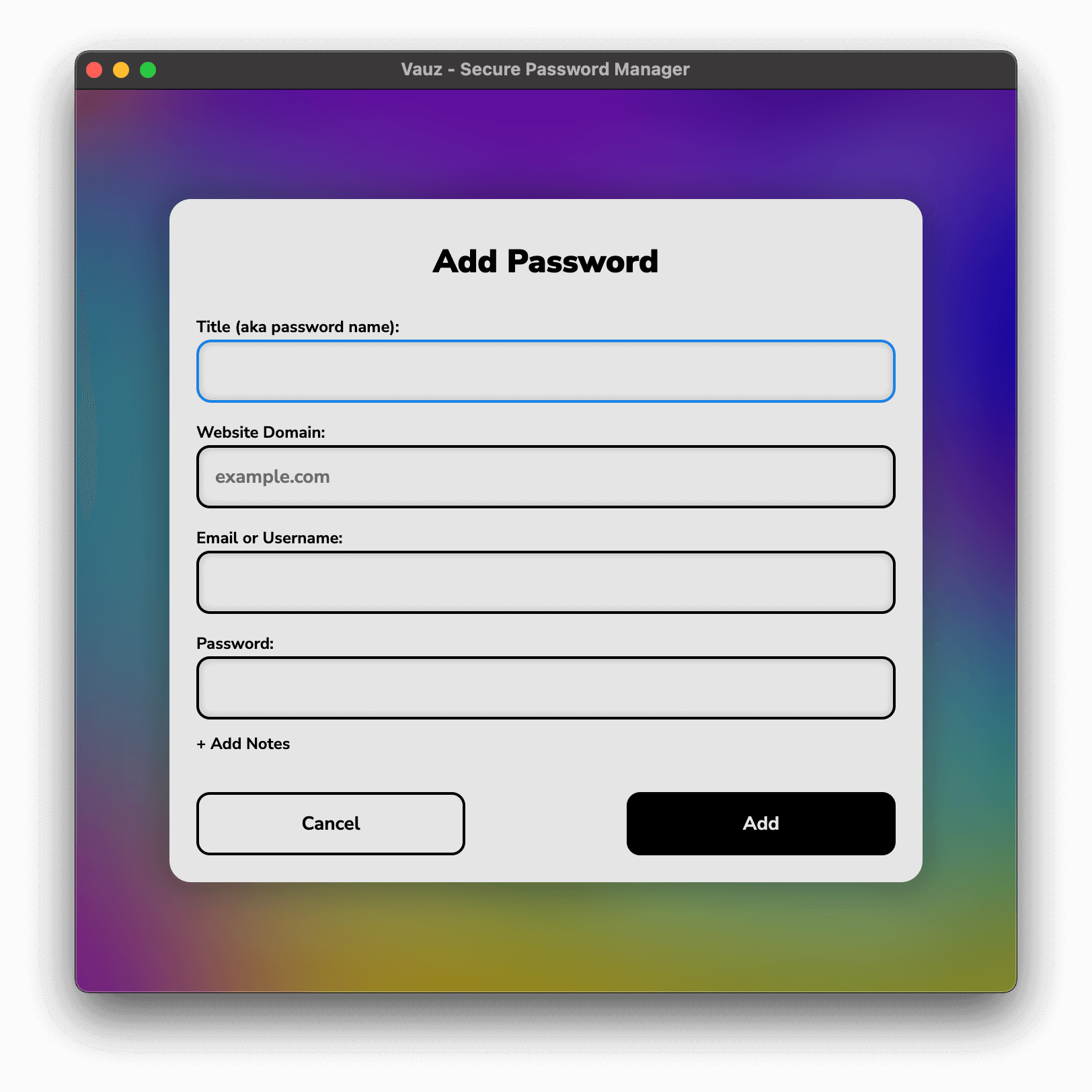
- New password management features including domain, username/email, and notes fields
- Enhanced search with keyboard shortcuts
- Improved security with stronger encryption, stricter file protections, and safer IPC communication
- Streamlined UI with refined overlays, updated styling, and cleaner view
- Backend improvements with safer APIs, and updated standards
Firefox extension integration & Bug Fixes
FixesAPIExtension Autofill
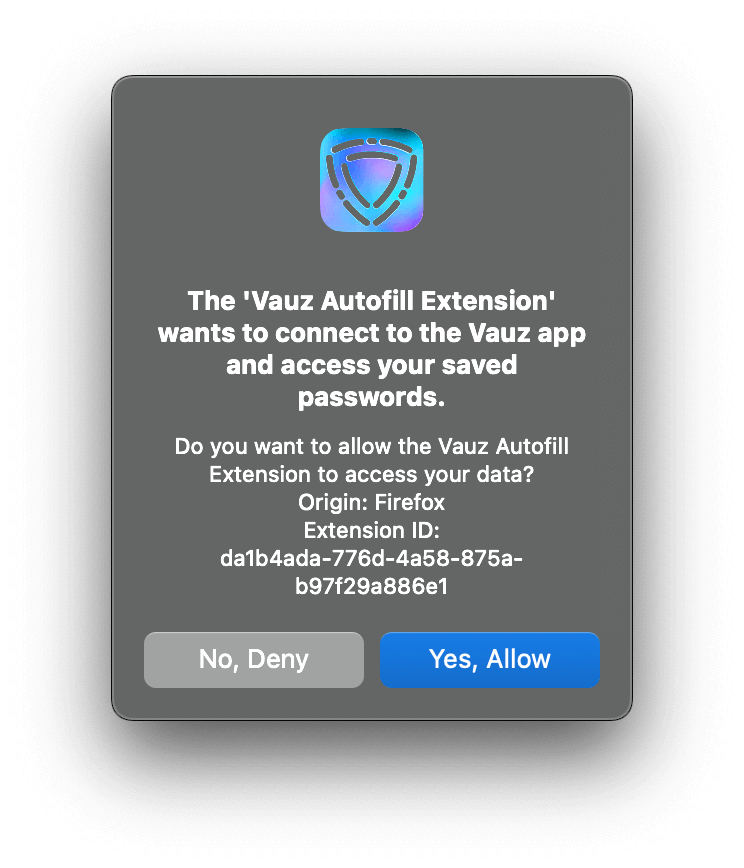
- Firefox extension integration with secure authentication and communication
- Two-way encryption for data exchange between app and extension
- User confirmation popup for extension registration requests
- Improved macOS support with correct dock icon updates
Interactive tutorial, V-Key and new copying functionality
UIFeaturesFixes
- Interactive tutorial with celebratory confetti at completion
- Auto-hide passwords option after a set time (Plus and Premium users)
- New login page shown on first app launch
- Copy data functionality without revealing sensitive information
- V-Key (master password) support with strength bar, setup popups, and notifications
- Modernized layouts and styling for themes, passwords, and overlays
- Bug fixes and performance improvements across the app
Performance Tuning, Security Policy Updates, and Startup Fixes
UIFixesImprovementsSecurity
- Improved performance by pausing animated themes that are not currently active
- Theme naming update: "Best Performance" is now "Vibrancy"
- Stronger content loading safeguards with stricter policy handling and cleaner resource structure
- Updated EULA license content
- Fixed white background on first app launch for a smoother startup experience
- Internal cleanup and file reformatting for improved maintainability
Security Hardening and Copying Workflow Upgrades
UIFeaturesFixesSecurityImprovements
- Theme selector redesigned with a more polished visual experience
- App moved further to local-first resources including local Nunito Sans and stricter local-only loading policy
- Encryption upgraded to device-dependent keys instead of a single hardcoded key
- Copy workflow expanded with copy actions for password and extra field values, plus copy confirmation feedback
- Extra field support enhanced across backend logic and password list presentation
- File handling hardened with hidden files and stronger user-level permission defaults
- Selection behavior improved to allow safe copy selection without enabling unintended edits
- Multiple UX and stability fixes for popups, tutorial descriptions, and input focus behavior
Vauz Rebranding and UI Animation Improvements
UIFeaturesFixesImprovementsBrand
- Project renamed from PassShield to Vauz to reflect the new product identity
- In-app icons refreshed and bundled locally for more reliable asset loading
- Fixed endless close-button animation in the settings popup
- Password type (word) now selected randomly from predefined options
- Added a new password-type animation for clearer and more engaging feedback
- Improved UI structure for icon and animation handling to keep updates cleaner and easier to maintain
- Smoother extra field button animation for a more polished interaction
Refinements for Popups and Icons
FeaturesFixesImprovements
- App version in settings popup for quick reference
- Close button for popups to dismiss them more easily
- Extra field in "Add Password" popup for additional details
- Refreshed button icons for a cleaner, modern look
- Fixed endless close button animation in settings popup
IPC & Visual updates
UIFeaturesImprovements
- Tutorial password cards to guide users in learning the app
- Normalized IPC for improved backend consistency
- Updated font from Nunito Sans to Lato for a modernized interface
Cross-Platform Support and Stronger Security
FeaturesImprovements
- Cross-platform support added for macOS and Linux, alongside Windows
- AES-256-CBC encryption with PassShield (later Vauz) for enhanced data security
- Application settings and EULA license introduced for better transparency and control
- Dedicated macOS .icns app icon for native integration
- SCP policy implemented for stricter security
- Normalized IPC for improved reliability
PassShield Launch – Electron UI and Password Vault
UIFeaturesImprovementsSecurity
- Project logo added featuring a shield on a gradient background
- Electron UI added to replace the Python interface
- Passwords vault implemented for secure password storage
- Project renamed to PassShield to reflect the new identity
Project Rebranded as Passgen with Website Launch
- Project renamed to Passgen to reflect the new branding
- HTML/CSS website launched at passgen.sealzi.com
Python Password Generator – UI Update
UIImprovements
- UI for Python password generator added with .ui file
- Command-line interface updated to a graphical UI
First Release – Command-Line Password Generator
- Initial release of Vauz (as password_generator.py)
- Command-line random password generator written in Python